-
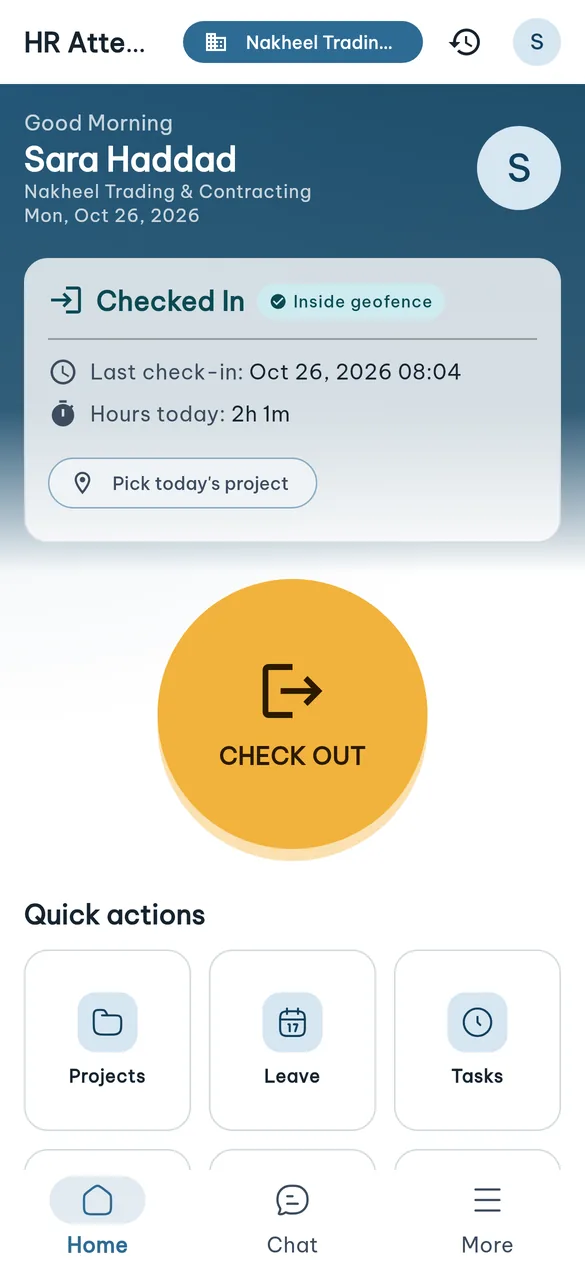
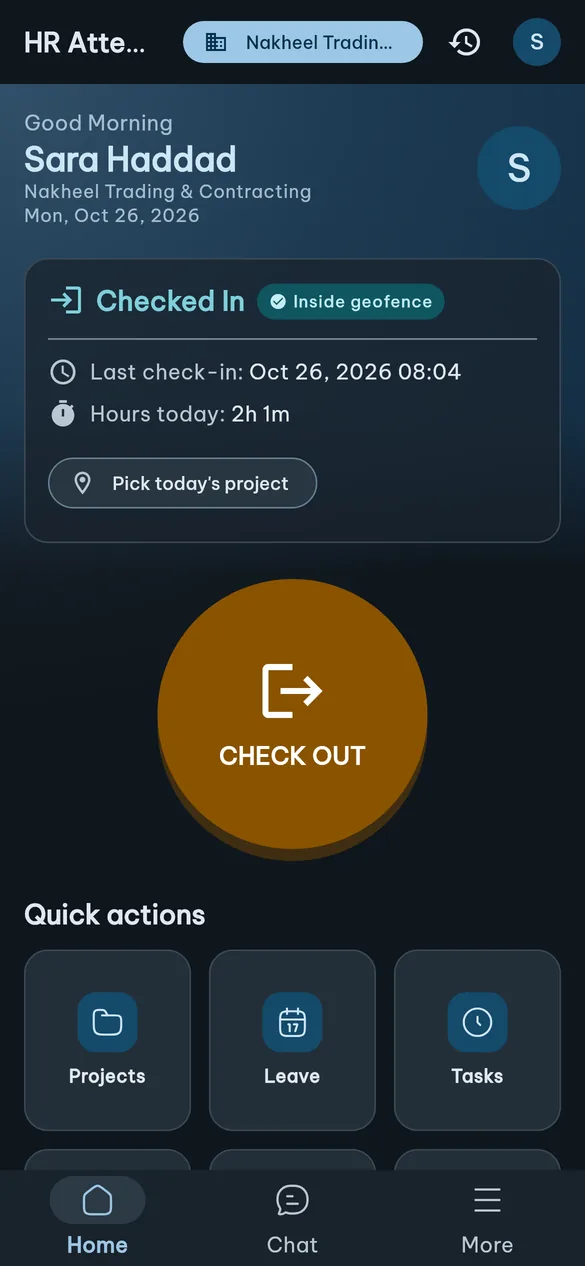
GPS check-in and check-out
One button to clock in. The app verifies the location against the company or project geofence first.
- Out-of-geofence check-ins carry a justification (contact + project + note) for manager approval
- Works offline: the punch is queued on the device and sent later with its original time
- Optional selfie and work photos, per company setting
-
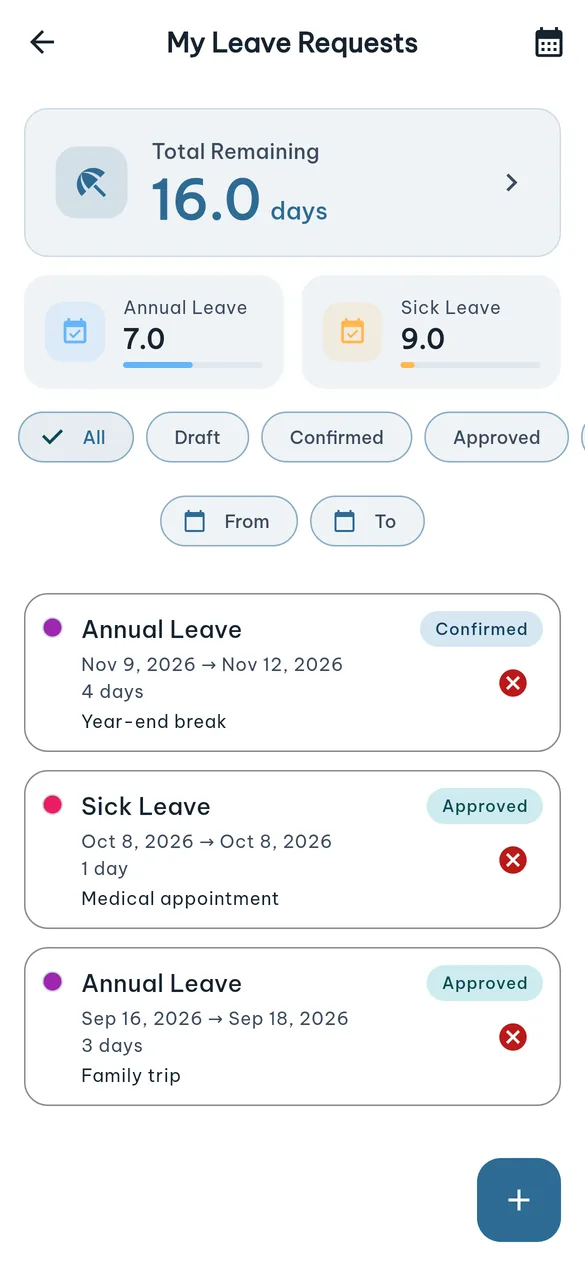
Time off and balances
Balance per leave type, a new request in one step, and a month calendar of requests.
- Per-type balances, used and remaining
- Filter requests by state and date range
- Cancel a request whenever the server allows it
-
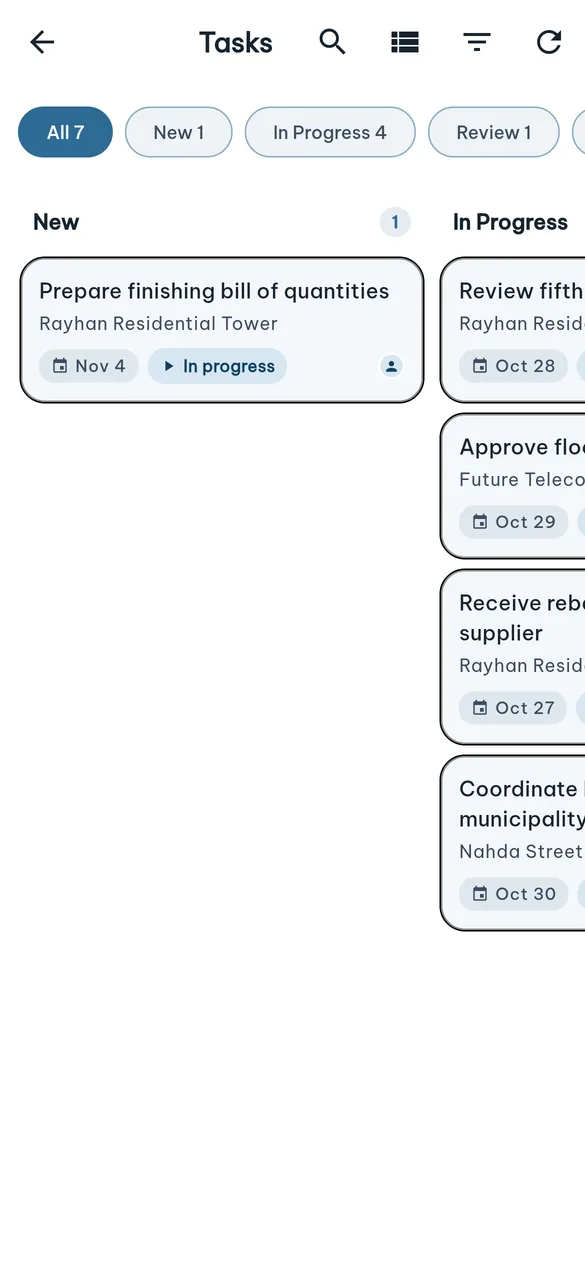
Tasks and Odoo chatter
The employee's tasks as a kanban board or a grouped list, with each task's detail exactly as in Odoo.
- Change stage and log progress from the phone
- Read and post on the task's chatter
-
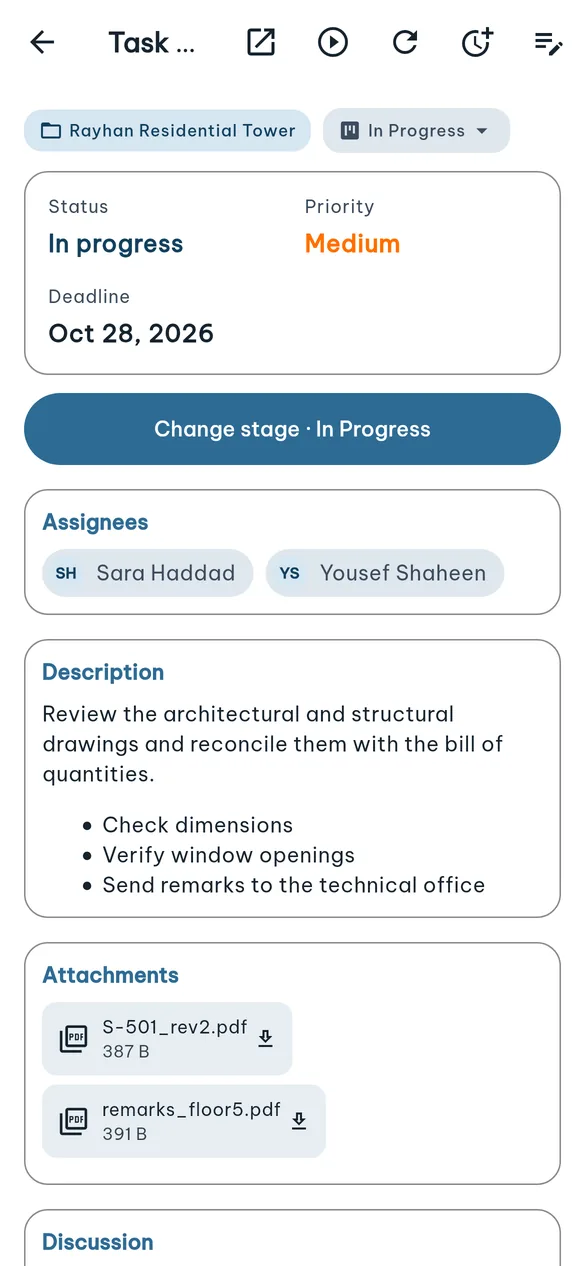
Task detail and chatter
Description, assignees, attachments and discussion — exactly as in Odoo.
- Read and post on the task's chatter
- Open attachments directly, images preview inline
-
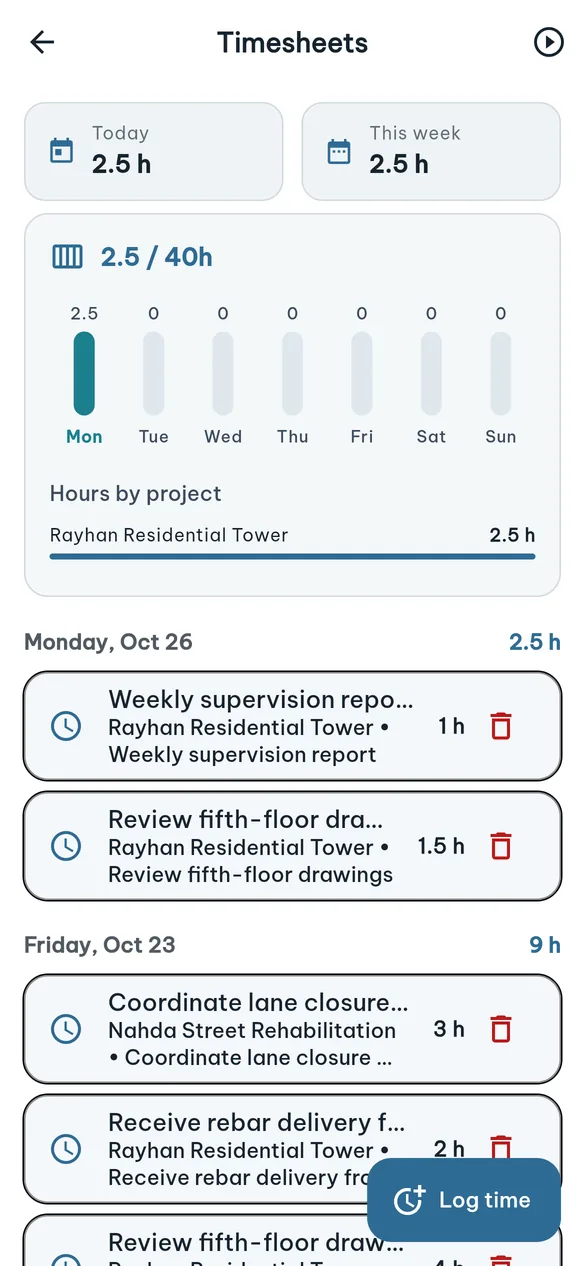
Timesheets
Today and this week against 40 hours, with lines grouped by day.
- Log time against a task, project or ticket
- A timer you can stop from its notification without opening the app
- Hours split by project
-
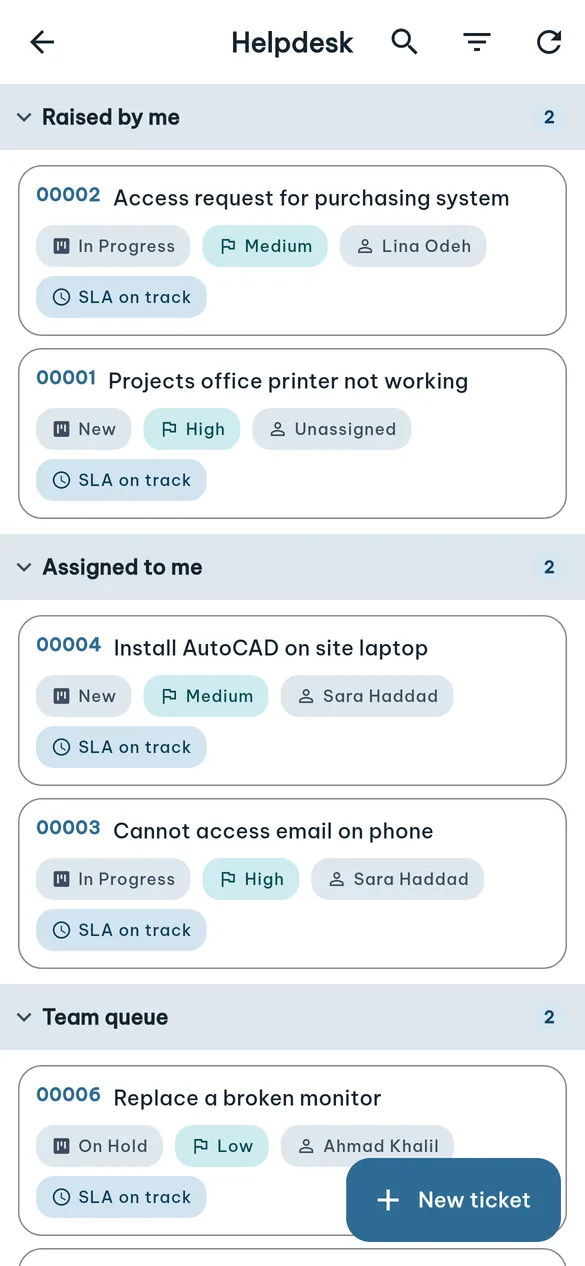
Helpdesk
Employees raise and follow support tickets; agents work the tickets assigned to them.
- Tickets I raised, assigned to me, and my team's queue
- Priority, stage and SLA indicator
- The ticket's real Odoo chatter, with attachments
-
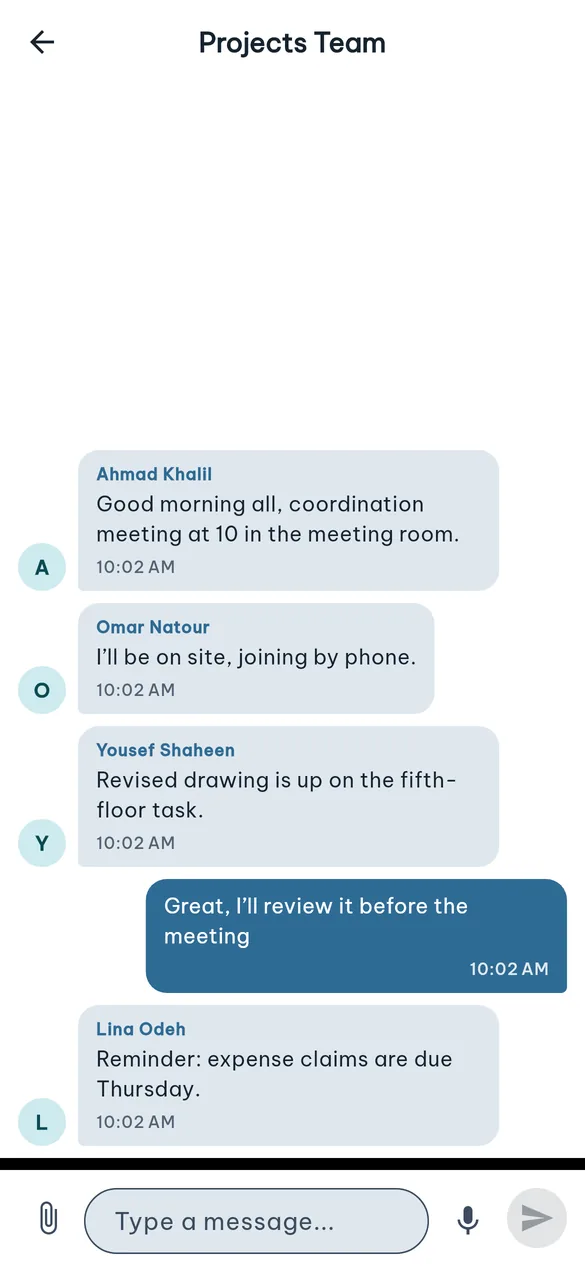
Team chat
The same Odoo Discuss channels, both ways: what's written in the app shows up in Odoo and back.
- Images, files, voice notes and video
- Team channels and direct messages
- An Android notification for new messages
-
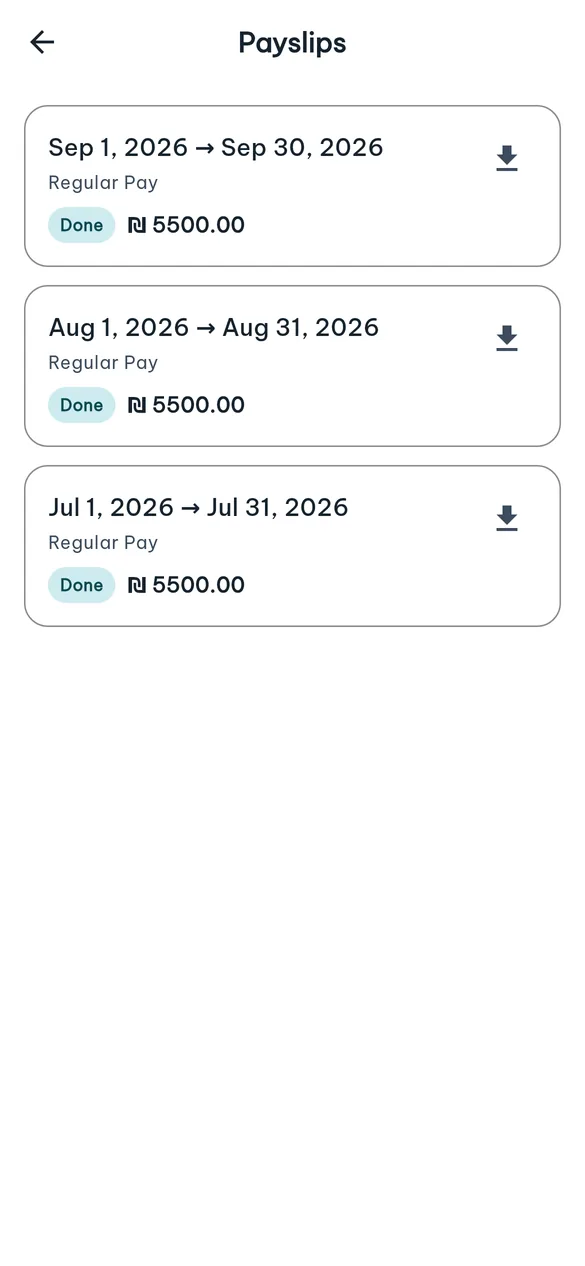
Payslips
Every payslip with its period, net pay and status, exactly as Odoo Payroll issued it.
- Download the official PDF
- A clear status: done or paid
-
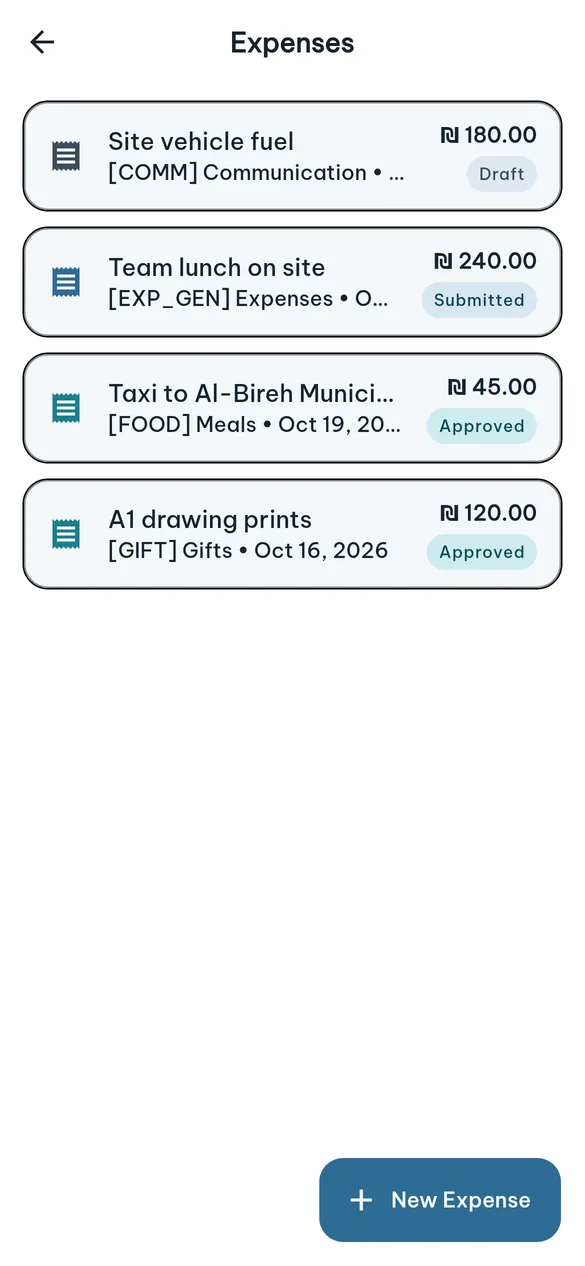
Expenses
Submit an expense from the field the moment it happens, with a photo of the receipt.
- Category, amount and date
- Follow it through: draft, submitted, approved
-
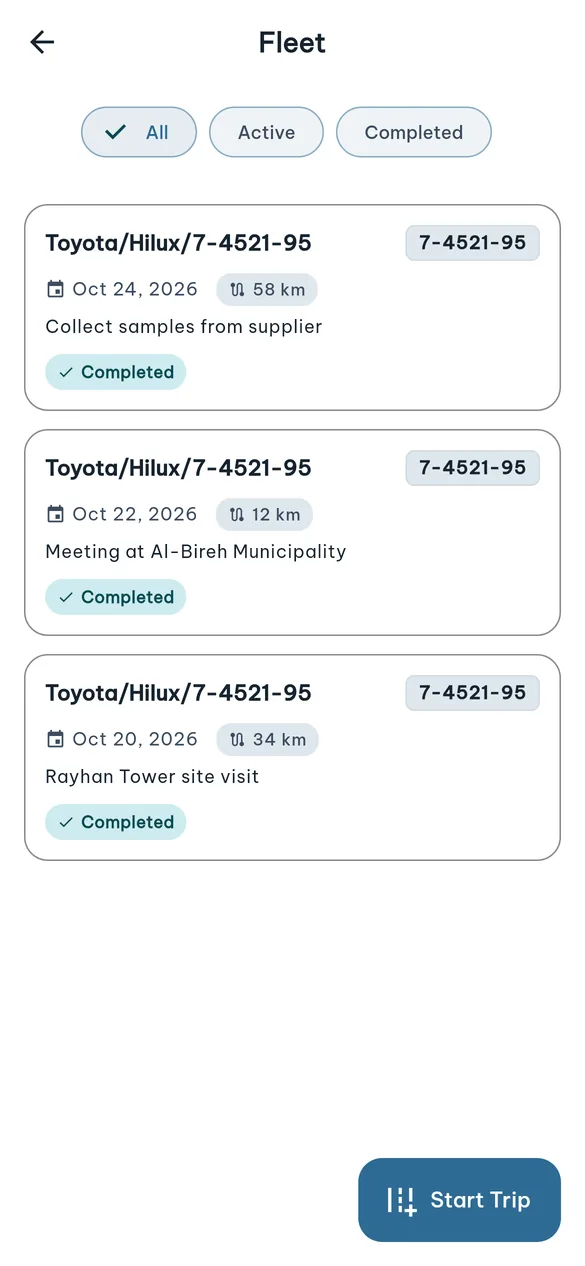
Fleet
Trips in the employee's assigned vehicle, linked to a project.
- Start and end a trip with the odometer reading
- Distance worked out automatically
The whole HR workday in one app, wired to your Odoo
GPS attendance, time off, tasks, timesheets, helpdesk, team chat and payslips for employees — an approvals inbox and team board for managers. Every record stays in your own Odoo.
- Android and iOS
- Full Arabic and English
- Clocks in without a connection
- Two-factor and biometric sign-in
Everything an employee needs during the day
A walk through the employee’s day: from clocking in each morning to the payslip at month end.
Your team in view, approvals in your pocket
Managers see their team and handle requests from their phone, without opening Odoo on a computer.
-
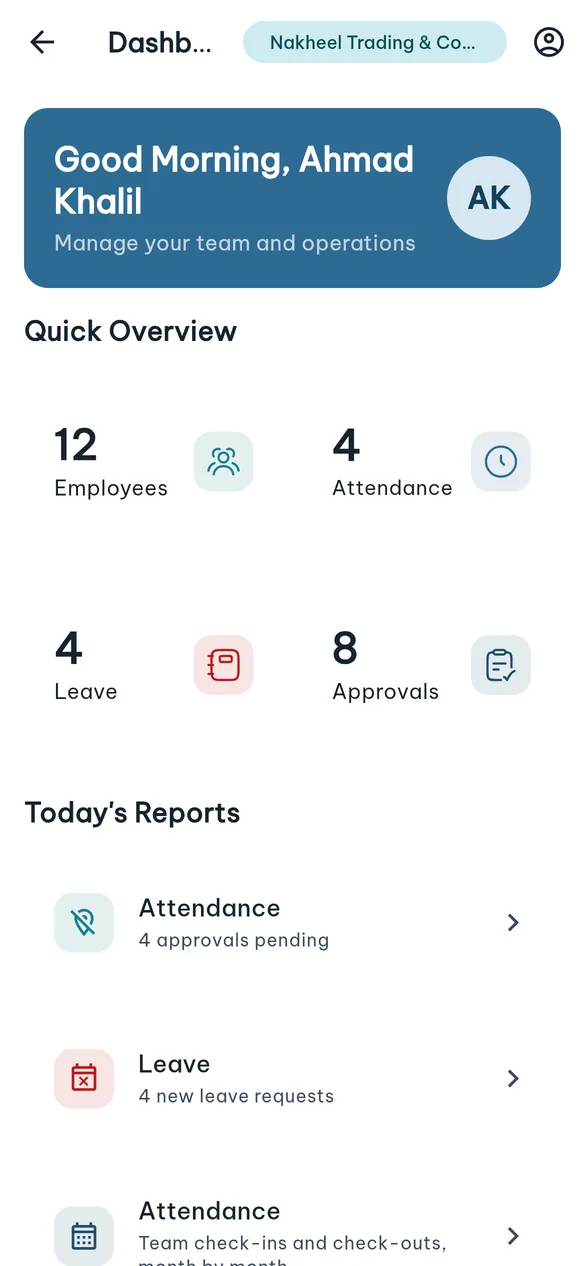
Team dashboard
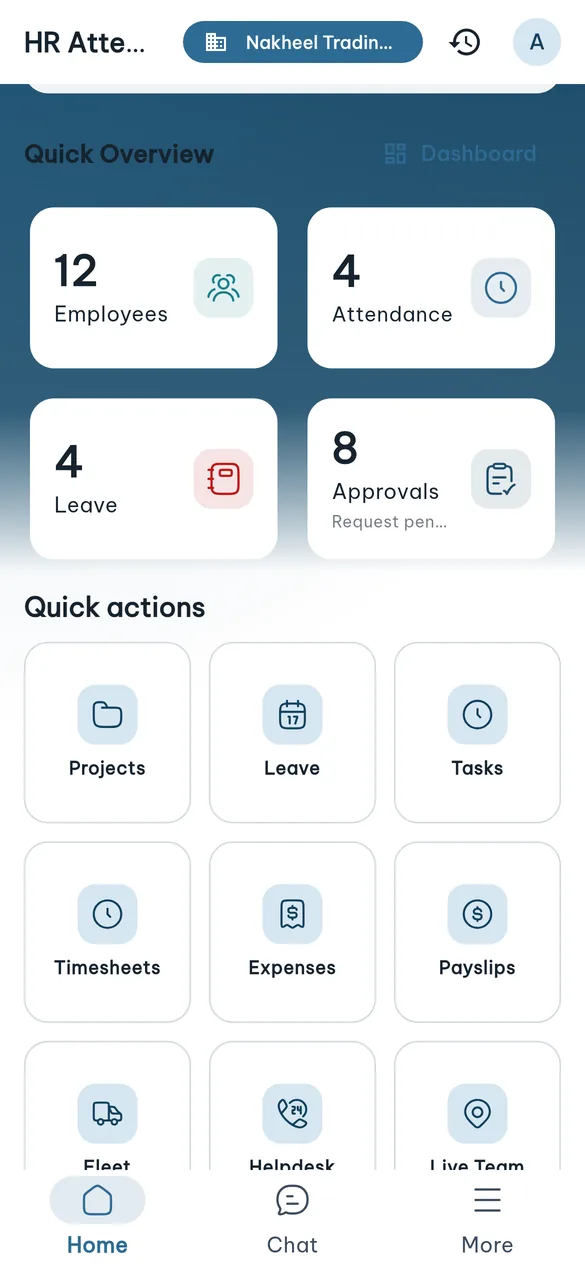
On the manager's home screen and on a dashboard of its own: headcount, who is in today, pending time off and approvals.
- Managers clock in from the same app
- Every figure opens the screen that acts on it
-
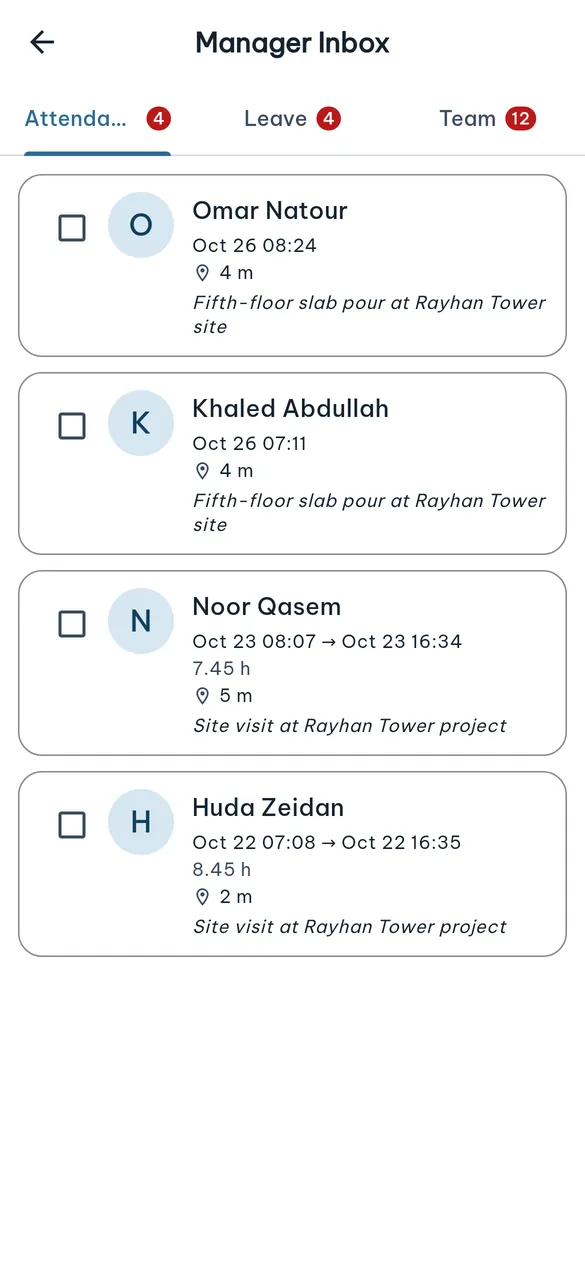
Approvals inbox
Out-of-geofence attendances and leave requests in one place, with the justification and distance from the office.
- Approve or refuse in bulk by selecting several requests
- Attendance, Leave and Team tabs
-
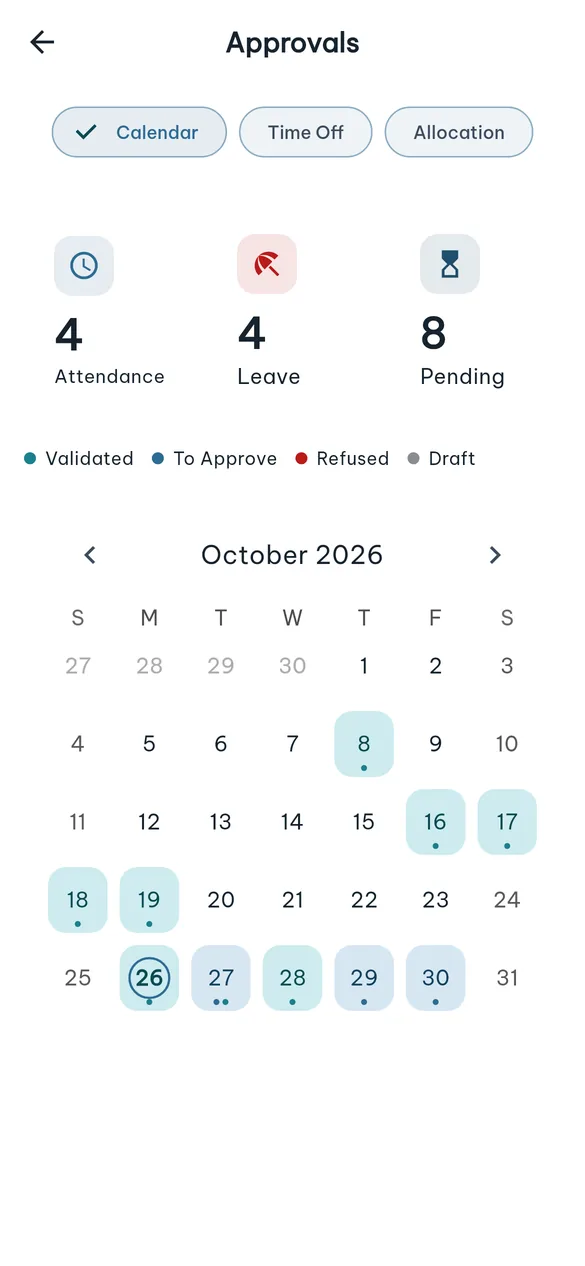
Team leave calendar
Every team leave request on a month calendar coloured by state, plus a list of who is off and when.
- Approved, awaiting approval, refused — one colour each
- Pending counts at the top of the page
-
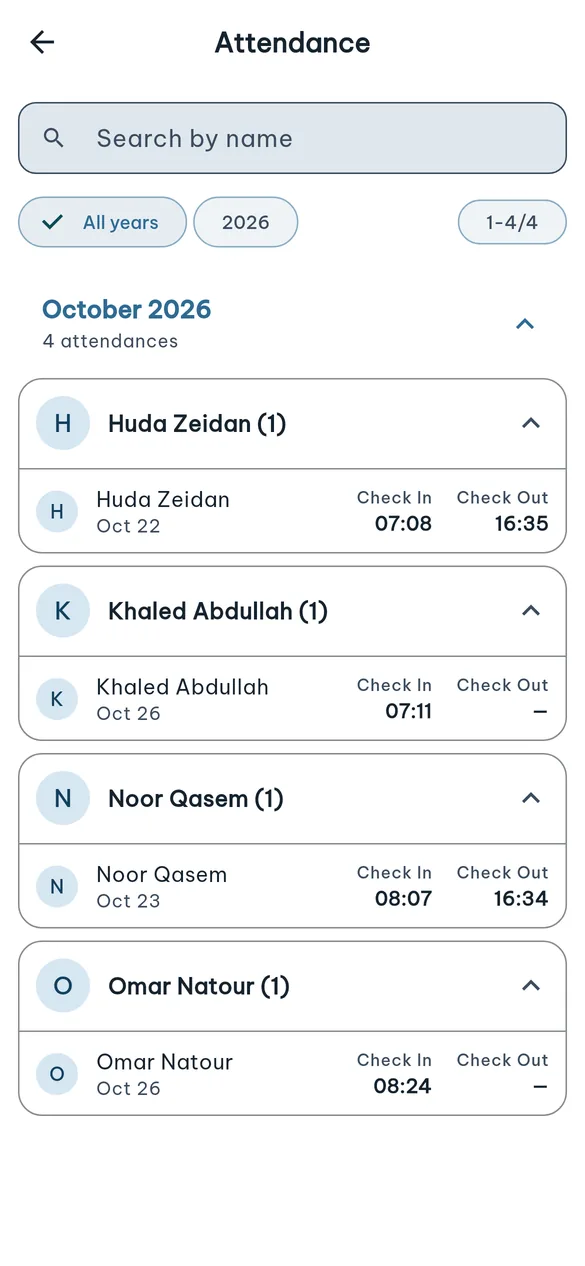
Team attendance ledger
Team attendance grouped by month and employee.
- Search by name, filter by year
-
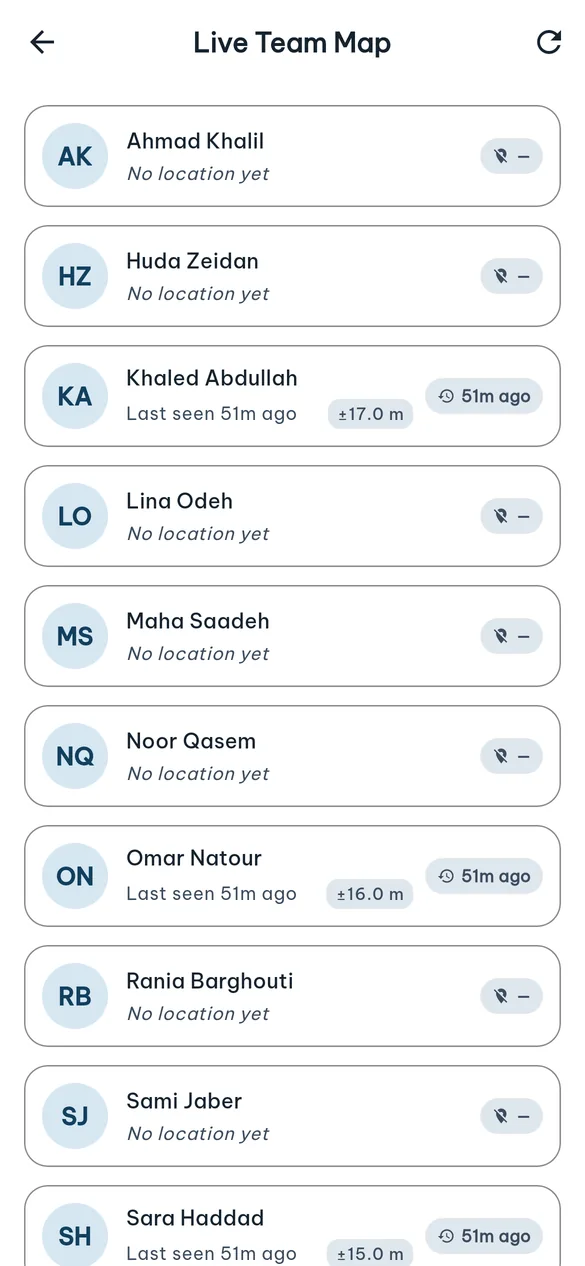
Field team locations
The last known location of field staff who opted in to tracking, and when they were last seen.
- Live tracking is opt-in, per employee
-
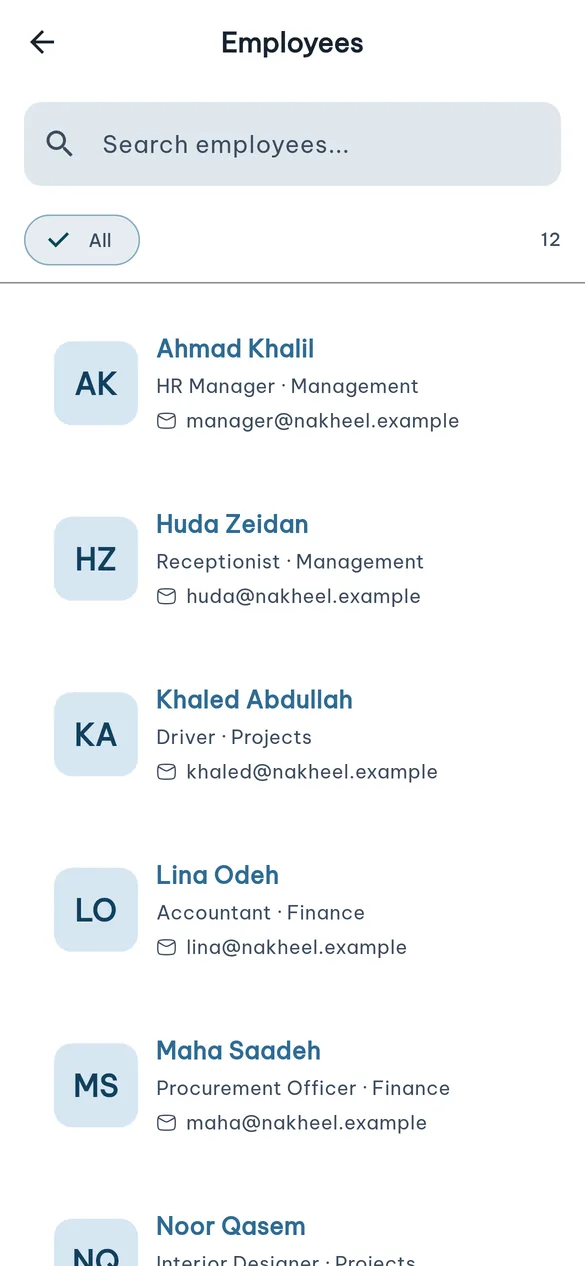
Employee directory
Search the team by name, email or job title.
- Department and job title for everyone
- A page per employee; phone and email are one tap away
Secure, and built for how your team works
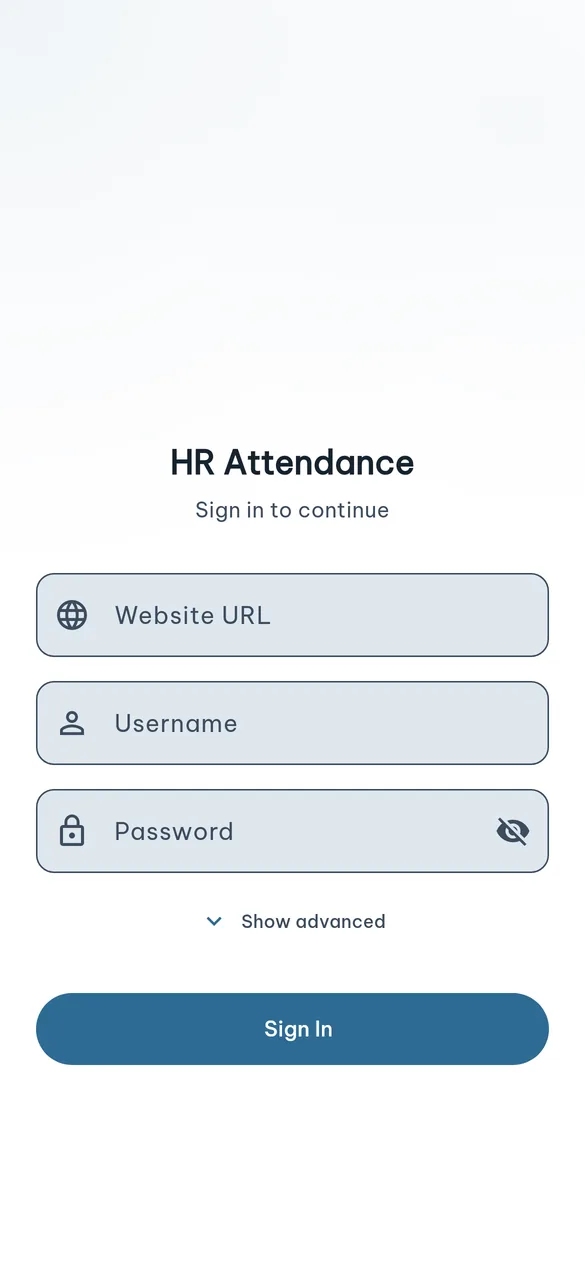
- Two-factor loginSupports Odoo's TOTP code at sign-in.
- Biometric unlockFingerprint or face unlock after the first sign-in.
- GeofencingCompany and project geofences; punching outside needs a justification and approval.
- Works offlinePunches are stored on the device and sent when the connection returns.
- Your data stays yoursThe app talks to your company's Odoo directly — no intermediate data server.
- Only what you installEach section shows only when its Odoo module is installed.
- Arabic & EnglishFull right-to-left interface, light and dark themes.
- Push notificationsOn Android, notified when a task or ticket is assigned — without a Firebase key on your server.
The Odoo modules behind the app
The app talks to purpose-built endpoints inside Odoo — one request per screen. Install only the modules you need; the app hides whatever is not installed.
| Module | Adds | Status | Requires |
|---|---|---|---|
alshayeb_hr_mobile |
Attendance, profile, time off, payslips, manager tools, notifications and Odoo chatter | Required | Attendances, Time Off, Project, Payroll (Enterprise) |
hr_attendance_gps_geofence |
Company and project geofences, justification and approval | Required | Installed automatically |
alshayeb_hr_mobile_project |
Tasks, timesheets and the timer | Optional | Project, Timesheets |
alshayeb_hr_mobile_discuss |
Team chat and push notifications | Optional | Discuss |
alshayeb_hr_mobile_helpdesk |
Helpdesk tickets | Optional | Helpdesk (Enterprise) |
alshayeb_hr_mobile_expenses |
Expense submission | Optional | Expenses |
alshayeb_hr_mobile_fleet |
Vehicle trips | Optional | Fleet |
alshayeb_hr_mobile_tracking |
Live employee location (opt-in) | Optional | — |
See the app on your own data
We install the modules on a test copy of your Odoo and set the app up for your team.
Request a demoScreenshots are of the app itself, connected to a demo Odoo database of a fictional company.